
Workspace Roles: Owner, Admin, Member, Viewer
What each APITube workspace role can and cannot do — access to keys, webhooks, members, billing and the audit log

Written by Brian Hollis
July 2, 2026
Updated July 21, 2026
Workspace roles: owner, admin, member and viewer
An APITube workspace has four roles, each a fixed set of permissions checked on every action: owner can do everything, admin manages members and API keys, member creates and uses keys, and viewer has read-only access. Billing, plan changes and account settings stay with the owner no matter how many admins a workspace has. Every teammate you invite gets one of the three invitable roles — admin, member or viewer — because the owner role is never handed out.
What are the four workspace roles?
Each role is a distinct level of access, from full control down to look-but-don’t-touch:
- Owner — the account that created the workspace. The owner is implicit (there is no member row for them) and can do everything, including billing, plan changes and account settings that no other role can touch.
- Admin — manages the team and the workspace’s API keys and webhooks, and can read the audit log. An admin cannot change billing, the plan, or the owner’s account settings.
- Member — a working teammate: creates and uses API keys, sets up webhooks, and views usage and logs. A member cannot invite, remove or re-role other people.
- Viewer — read-only. A viewer can see the workspace’s data but cannot create keys, change anything, or manage members.
What can each role do?
Permissions are grouped by area. This is the full list of what admin, member and viewer are allowed to do (owner is allowed all of it):
- API keys — create, revoke, regenerate, rename, and set restrictions, expiry and endpoint scopes. Allowed for member and admin, not viewer.
- Webhooks — create, update (including re-sending a delivery) and delete. Allowed for member and admin, not viewer. See what webhooks are and how they work.
- Members — invite people, change a teammate’s role, and remove a teammate. Allowed for admin only (and owner).
- Audit log — view the workspace’s action history. Allowed for admin only (and owner).
- Billing, plan and account settings — owner only. No admin, member or viewer can start a checkout, change the plan, or edit the owner’s account.
So a viewer has no write actions at all, a member is limited to keys and webhooks, and an admin adds team management and the audit log on top.
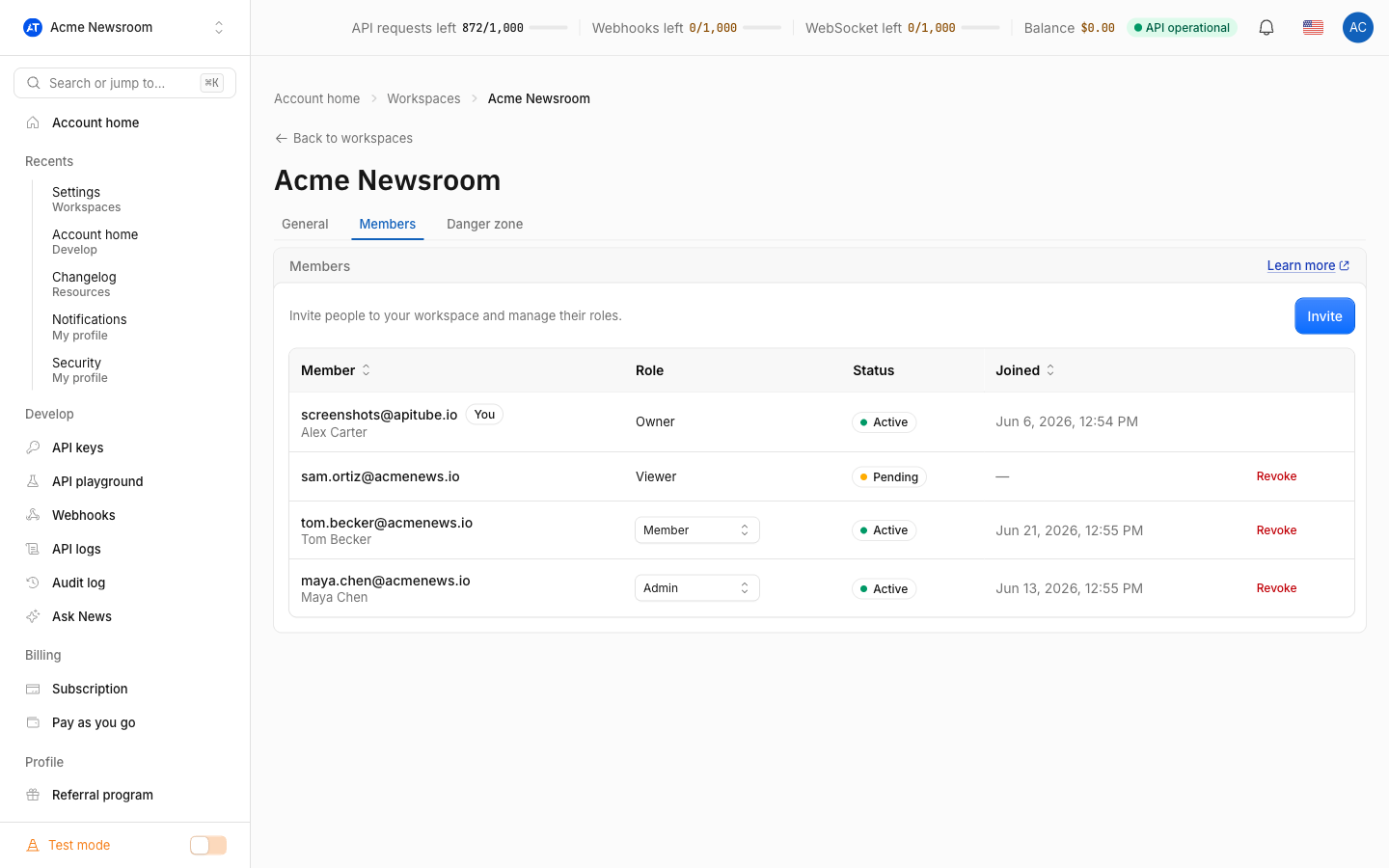
Who can invite people and change roles?
Only the owner and admin can open the team page (in the dashboard under Workspaces → members), invite people, and change roles. Members and viewers do not see that page at all. When you invite or re-role someone, the role you pick is admin, member or viewer — those are the only three options, so you can promote a teammate up to admin but never to owner.
Inviting a teammate creates a pending invite and gives you an /invite/<token> link to share; you do not have to enter an email address for the link to work. Removing a teammate is a soft revoke, so their access is cut immediately.
Can I transfer ownership of a workspace?
No. There is no “transfer ownership” action in APITube. The owner is fixed to the account that created the workspace, and the only roles you can assign are admin, member and viewer — none of which is owner. For the same reason, an owner cannot leave their own workspace: leaving is for teammates in someone else’s workspace, and an owner who wants to shut a workspace down deletes it instead.
If you need someone else to run the team day to day, make them an admin — that grants full member and key management without touching billing or the owner’s account.
How do roles work across multiple workspaces?
Roles are scoped to a single workspace. You can own several workspaces and also be an admin, member or viewer in workspaces owned by other people, and your permissions are decided per workspace. An admin in one workspace has no power in another — role checks always run against the current workspace, so admins only manage the members and keys of the workspace they are actually in.
Common Questions
- Can a member see billing or change the plan?
- Can a viewer create an API key?
- Can an admin remove or replace the owner?
- Who can see the workspace audit log?
Can a member see billing or change the plan?
No. Billing, plan changes and account settings are owner-only. A member can create and use API keys and set up webhooks, and can view usage and logs, but the checkout, subscription and account screens belong to the owner. Admins are in the same position here — team management does not include billing.
Can a viewer create an API key?
No. A viewer is read-only: they can look at the workspace’s data but cannot create, revoke or rename keys, cannot manage webhooks, and cannot invite or remove people. To let someone create and use keys, give them the member role. To manage keys, see how to create, rename and revoke API keys.
Can an admin remove or replace the owner?
No. An admin can invite, re-role and remove other admins, members and viewers, but the owner is not a member row and cannot be removed or demoted. There is also no way to promote anyone to owner, because the assignable roles are admin, member and viewer only.
Who can see the workspace audit log?
The audit log — the record of key, webhook and member actions in a workspace — is visible to the owner and admins. Members and viewers do not have access to it. This keeps the workspace’s action history in the hands of the people who can manage the team.