
What Are Workspaces and When to Use Them
How APITube workspaces separate API keys and teammates while one owner keeps a single shared bill

Written by Brian Hollis
July 2, 2026
Updated July 21, 2026
What are workspaces and when to use them
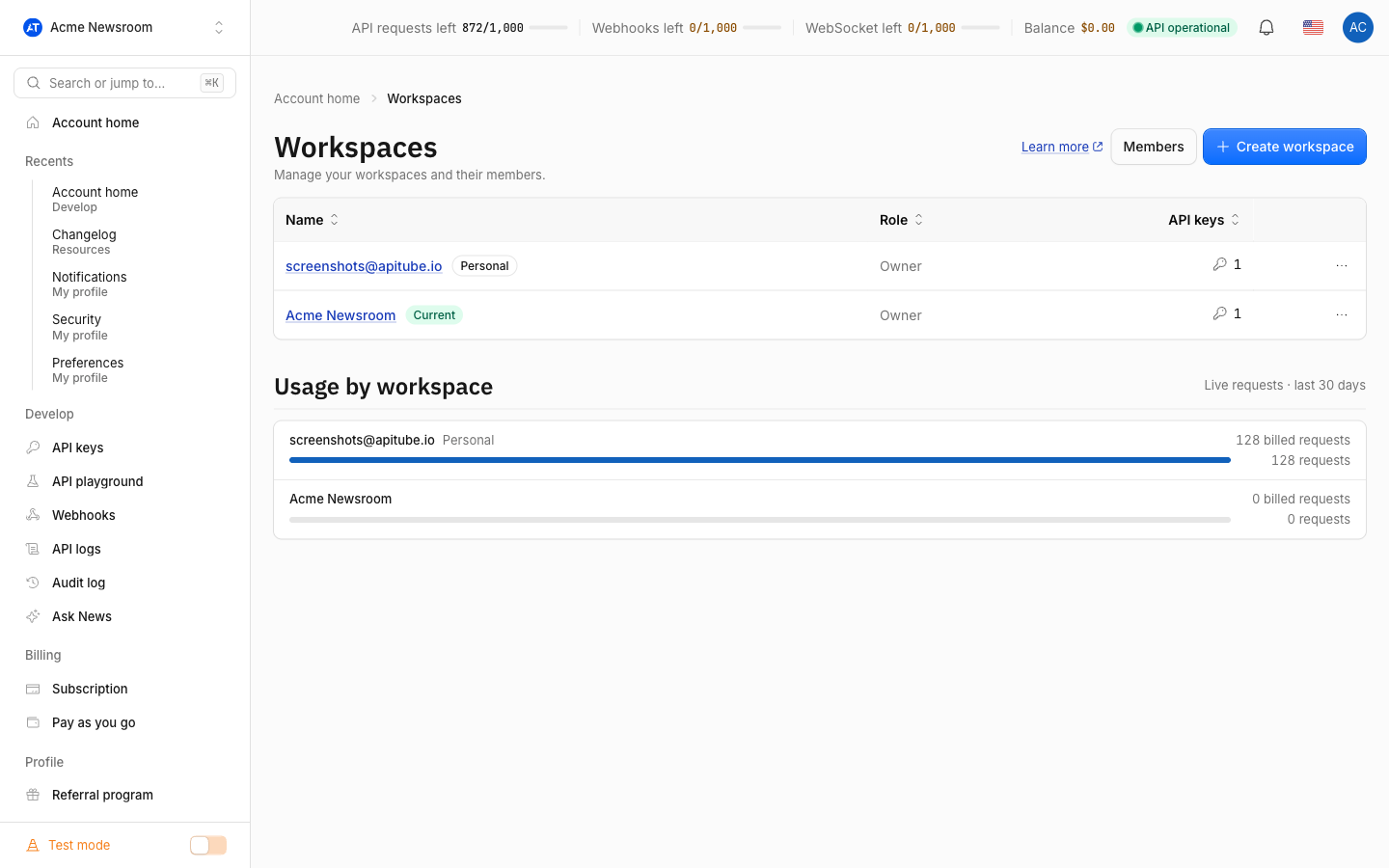
A workspace in APITube is a separate space that holds its own set of API keys and its own list of teammates. Every account starts with one Personal workspace, and you can create more from the workspace switcher — one per project, client or team — while everything you build stays under a single account. The key rule to understand up front: API keys and members are scoped to each workspace, but billing, quota and balance belong to the owner and are shared across all of that owner’s workspaces. A new workspace organizes access; it does not create a separate bill.
What is a workspace in APITube?
A workspace is the container your API keys and teammates live in. When you sign in for the first time, APITube creates a Personal workspace for you automatically (it is your default workspace), so you always have somewhere to make keys without any setup. From there you can add more workspaces — for example a “Client A” workspace and a “Internal tools” workspace — and each one keeps its own keys and its own member list, fully separate from the others.
Because keys are scoped to a workspace, a key you create in one workspace is not visible in another. Switching workspaces changes which keys you see and manage, which makes workspaces a clean way to keep unrelated projects from mixing.
What is scoped to a workspace, and what is shared?
This is the most important distinction, because it decides what a new workspace does and does not change:
- Scoped to each workspace: your API keys and your members (the teammates and their roles). Each workspace has its own.
- Shared across all of the owner’s workspaces: billing, plan, quota, balance, subscription and notifications. These belong to the owner’s account, so every workspace the owner has draws from the same request quota and the same wallet.
- Per-teammate: personal settings such as language, theme and profile follow the individual signed-in person, not the workspace.
In practice this means any key a teammate creates in any of your workspaces spends your quota, and there is no separate invoice per workspace. Usage logs are still shown per workspace — filtered to the keys in the workspace you are viewing — so you can see how much each workspace is spending even though the quota pool is one.
Creating a second workspace does not give you a second free quota or a separate bill. Quota, balance and billing are the owner's and are shared across every workspace they own. Use workspaces to organize keys and access, not to split billing.
How do I create and switch workspaces?
Use the workspace switcher in the dashboard. It lists the workspaces you own plus any workspaces owned by other people where you are an active member, and it has a Create workspace option to add a new one. Selecting a workspace switches your active context, and APITube remembers your choice — the next time you sign in you land in the same workspace.
If a workspace you had selected is later deleted, or your membership in someone else’s workspace is removed, APITube quietly falls back to your Personal workspace, so you are never left without a valid context. Note that only the owner or admin of a workspace can invite people into it — see how to invite team members for that flow.
When should I use more than one workspace?
Create a separate workspace when you want to isolate keys and people without splitting your account. Common cases:
- Per client or per project — keep each client’s keys and (optionally) their team apart, while you keep one bill.
- Separate a team from your solo keys — invite teammates into a shared workspace and keep your personal experiments in your Personal workspace.
- Join someone else’s team — accept an invite to work inside another owner’s workspace as an admin, member or viewer; there the owner pays, not you.
If instead you only need to control what different people can do, you may not need a new workspace at all — assign workspace roles within one workspace. And if you later delete a workspace you own, its keys are moved back into your Personal workspace so nothing is lost.
Common Questions
- Does each workspace get its own quota or bill?
- Do I have to create a workspace to use the API?
- What happens to my keys if I delete a workspace?
Does each workspace get its own quota or bill?
No. Quota, balance, plan and billing belong to the owner’s account and are shared across every workspace that owner has. A key created in any of your workspaces spends the same quota, and you receive one bill regardless of how many workspaces you run. Workspaces separate keys and members, not money — though usage logs are shown per workspace so you can still see each one’s spend.
Do I have to create a workspace to use the API?
No. APITube gives every account a Personal workspace automatically the first time you sign in, and you can create and use API keys there right away. You only add more workspaces when you want to keep separate sets of keys or teammates — for a client, a project or a team.
What happens to my keys if I delete a workspace?
When you delete a workspace you own, its API keys are moved back into your Personal workspace rather than destroyed, and the workspace’s memberships are removed. You cannot delete your Personal workspace, since it is the default that always holds your keys.