
What Is on the API Keys Page of the Dashboard
A guided tour of the keys table, the quota bar and the Create key button — test article for dashboard screenshots

Written by Erick Horn
July 21, 2026
What is on the API Keys page of the dashboard
The API Keys page of the APITube dashboard shows every key on your account in one table — the key’s name, its masked secret with a copy control, requests used, last-used time, creation date, a 7-day activity sparkline and an Active / Revoked / Expired status. This is what the page looks like on a fresh account with a single key:
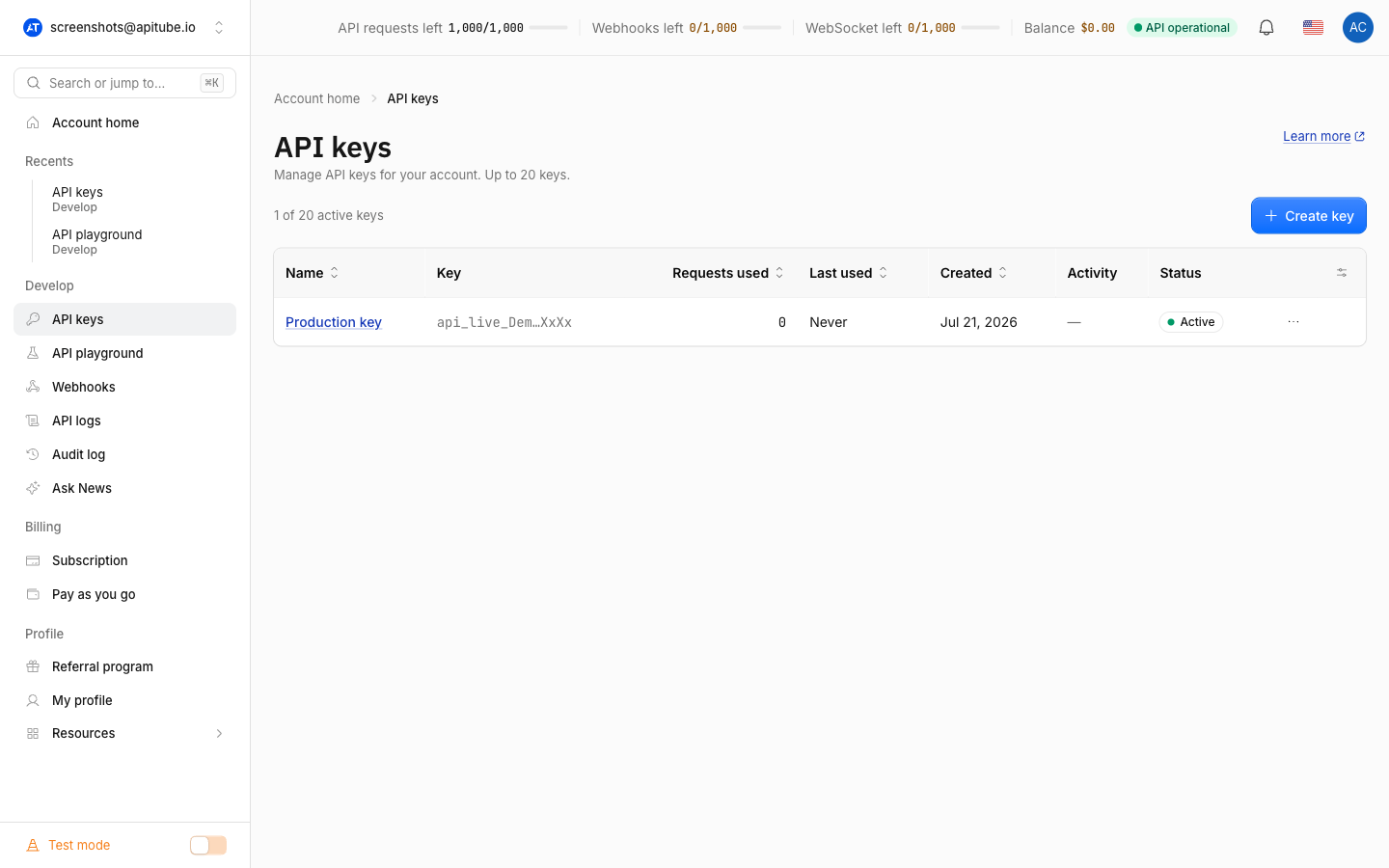
What the keys table shows
Each row of the table is one API key. When an article only discusses the table itself, a cropped screenshot of just that block reads better than the full window:
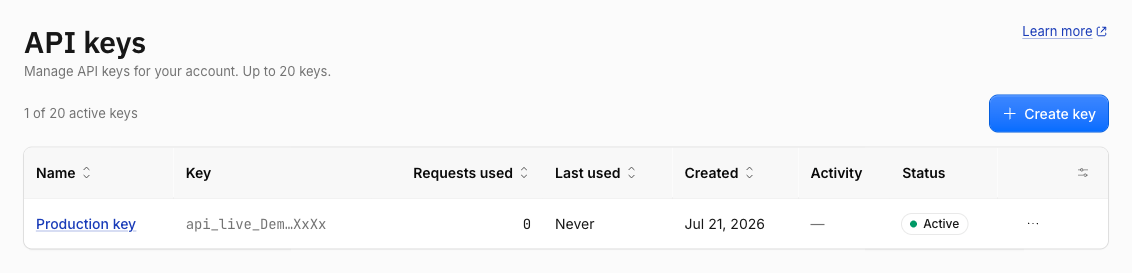
From left to right you see the Name (a link to the key’s detail page), the Key value truncated to its first characters — the full secret is copied with one click, never printed on screen — then Requests used, Last used, Created, the Activity sparkline for the last 7 days, and the Status badge. The counter above the table (“1 of 20 active keys”) tracks your limit: each workspace can hold up to 20 active keys, counted separately for Test and Live mode. The Create key button on the right adds a new one — the full walkthrough is in How to create, rename and revoke API keys.
What the bar above the page shows
The strip at the very top of the dashboard is not specific to this page — it follows you everywhere. It shows API requests left for the current period, remaining Webhooks and WebSocket quota, your Balance, and a live API status pill that turns from “API operational” to a warning when the News API is degraded. The numbers are drawn from the same account quota that every key on the page spends from, as described in the official rate limits reference.
Common Questions
Why is this article hidden from search?
This page is a formatting test for embedding dashboard screenshots into the help center. It is excluded from the search index with hideFromSearch, so readers only reach it by direct link.
Where was the screenshot taken?
On a dedicated demo account ([email protected]) that contains only seeded test data — one demo key and default quotas — so no real customer data ever appears in help-center images.