
What is Pay As You Go?
Top up a balance and pay only for the requests you make past your plan quota

Written by Brian Hollis
June 28, 2026
Updated July 21, 2026
What is Pay As You Go?
Pay As You Go (PAYG) is an overflow balance you top up in advance: once your monthly plan quota is used up, each extra request is billed to that balance at $0.01 per request instead of failing. So a busy day no longer stops your traffic — calls that exceed your plan keep working as long as the balance has money in it. Without a balance, the same call would be rejected with 402 ER0176.
How does pay-as-you-go billing work?
Your plan quota is always spent first. Every successful call deducts one request from your monthly allowance, and only when that allowance hits zero does pay-as-you-go take over — each further call then draws one cent from your balance instead of being turned away. The balance is a single fund attached to your account, so you do not configure it per key or per endpoint.
That balance covers overflow on every billed channel at the same one-cent rate:
- Standard requests —
/v1/news/everything,/v1/news/top-headlines,/v1/news/articleand the other search and retrieval endpoints each cost one cent past your plan quota. - Real-time streaming — the SSE stream (
/v1/news/stream) and WebSocket feed bill one cent per article delivered once your streaming allowance is spent.
Because one request equals one cent, you can read your balance directly as a request count: a $1 balance is 100 requests, a $50 balance is 5,000. When the balance reaches zero and your plan quota is also empty, the next call returns 402 ER0176 (“You have no points on your account”) — the signal to top up rather than keep retrying. See what happens when you run out of requests for the full out-of-quota behaviour.
How much does pay-as-you-go cost?
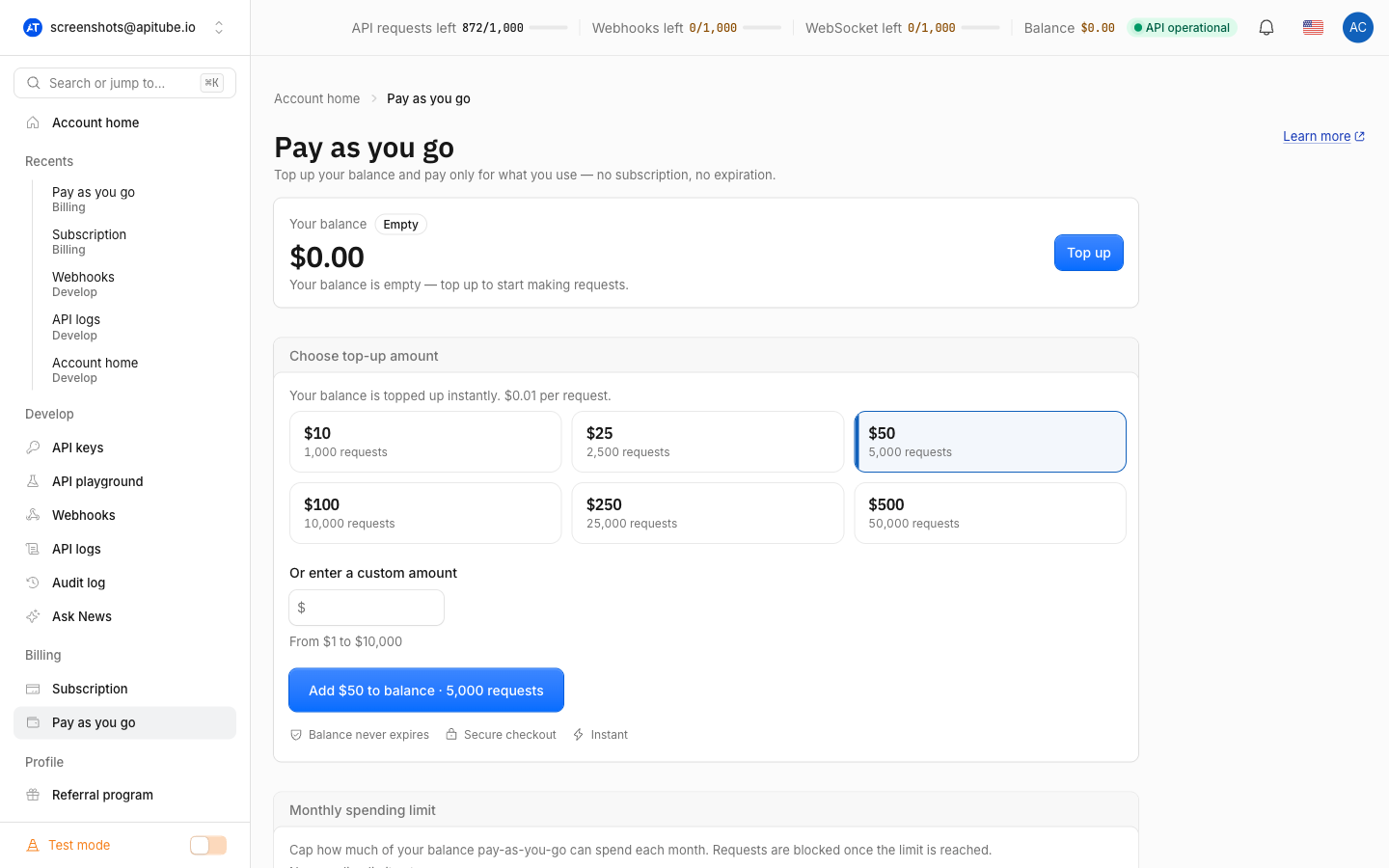
Pay-as-you-go is a flat $0.01 per request with no subscription attached. There is no monthly fee and no commitment — you only pay for calls you actually make past your plan quota. The minimum top-up is $1, which buys 100 requests, and your balance does not expire: it stays in your account until you spend it.
How do you add a pay-as-you-go balance?
You top up from the Pay As You Go page in your dashboard. Pick a preset amount — $10, $25, $50, $100, $250 or $500 — or enter your own (the $1 minimum applies), then complete checkout. Billing runs through the existing payment flow, so the dashboard hands you off to a secure checkout page and credits your balance once payment clears. The balance then sits ready, and the very next request that exceeds your plan quota draws from it automatically — there is nothing else to switch on.
How do you cap your pay-as-you-go spending?
You can set a monthly spending limit so overflow billing stops at a ceiling you choose. The limit is set on the Pay As You Go page (workspace owners only, since the balance is shared across a workspace) and accepts any value from $1 to $100,000. Once your pay-as-you-go spend in the current calendar month reaches the limit, billed calls stop with a different error:
{
  "status": "not_ok",
  "errors": [
    {
      "status": 402,
      "code": "ER0177",
      "message": "Monthly pay-as-you-go spending limit reached."
    }
  ]
}
The counter resets at the start of each calendar month (UTC), so spending automatically resumes on the 1st — or you can raise the limit in the dashboard to keep going right away. The limit applies only to pay-as-you-go spend; it never touches your plan quota.
How do you track your remaining balance?
Every API response carries your balance in a header, so you can watch it without a separate call:
x-balance-remaining— your pay-as-you-go balance in cents (so500means $5.00, or 500 requests left).x-points-remaining— your plan quota still available before pay-as-you-go kicks in.x-budget-remaining— cents left before your monthly limit, sent only when you have a spending limit set.
You can also poll the /v1/balance endpoint at any time; it returns your remaining quota and plan without consuming a request. See how to check your balance via the API for the exact call.
Common Questions
Does my pay-as-you-go balance expire?
No. Your pay-as-you-go balance has no expiry — it stays in your account until you spend it, whether that takes days or months. Topping up does not start a subscription or a renewal clock; the funds simply wait until a request needs them.
Do I need a subscription to use pay-as-you-go?
You do not need a paid monthly plan to add a balance. As soon as your account holds a pay-as-you-go balance, eligible requests are billed to it at $0.01 each. On a monthly plan, pay-as-you-go acts purely as overflow: your included quota is spent first, and the balance only covers requests beyond it.
Does pay-as-you-go cover real-time streaming?
Yes. The same balance backs overflow on the SSE (/v1/news/stream) and WebSocket feeds, which bill one cent per article delivered once your streaming allowance is exhausted — exactly the rate standard requests pay. A single balance therefore covers both your regular calls and your streaming usage.
What happens when my balance and quota both run out?
The next billed call returns 402 ER0176 (“You have no points on your account”) and does no work, so you are never charged for being out of credit. To get unblocked, top up your balance, upgrade your plan for a larger monthly quota, or wait for your plan quota to reset. For the difference between running out of quota and hitting a rate limit, see what counts as one request.