
How to Track Your Referrals and Rewards
Read the Referral program page: summary cards, statuses, and per-referral rewards

Written by Beatrice Riddick
July 4, 2026
Updated July 21, 2026
How to track your referrals and rewards
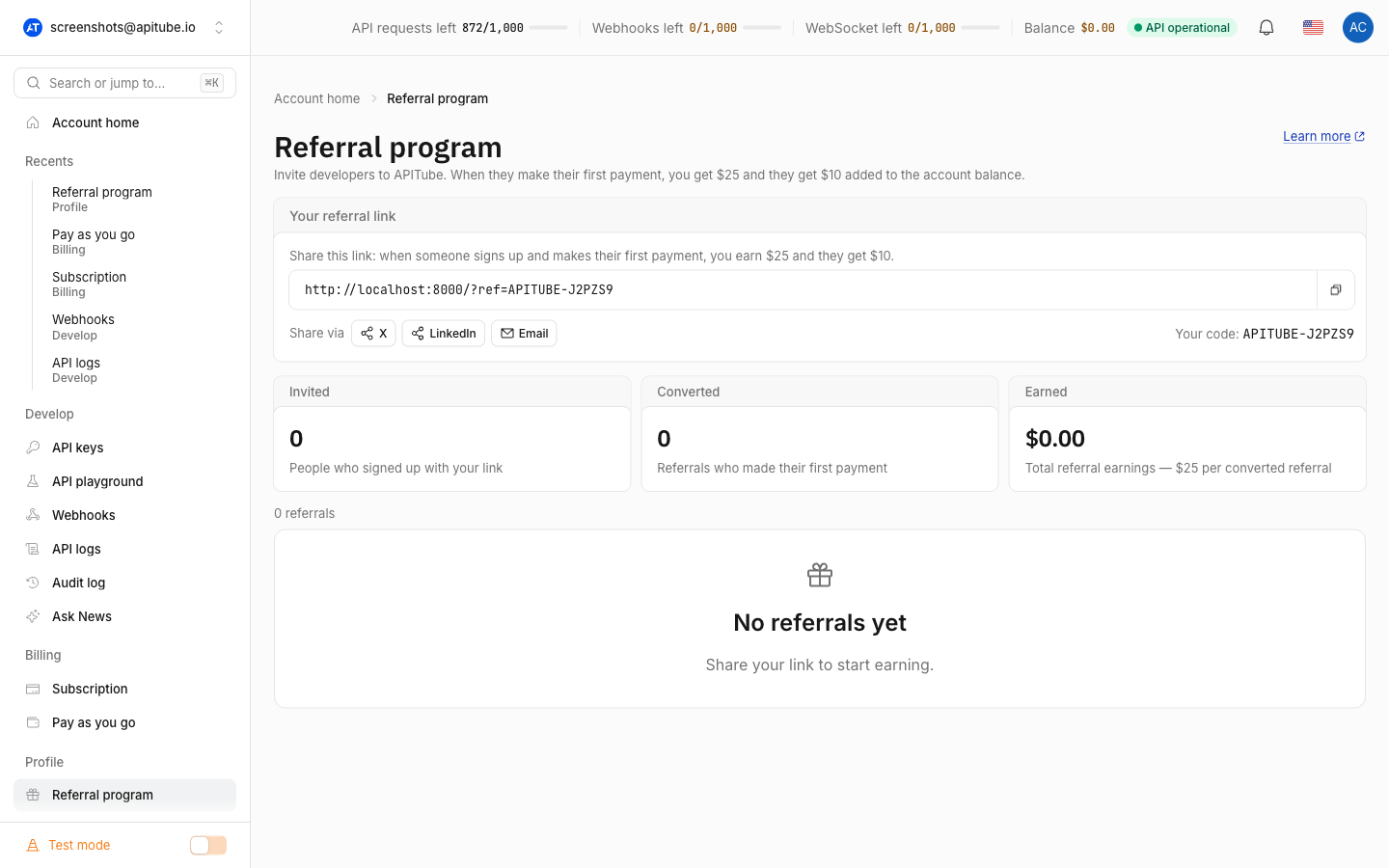
You track referrals on the Referral program page in your APITube dashboard. It shows three summary cards — Invited, Converted, and Earned — plus a table of everyone who signed up with your link, each row carrying a status, the reward you earned, and the date they joined.
The page is personal to your account: every logged-in user has their own referral code and stats, independent of any workspace you belong to. If you are new to the program itself, start with how the referral program works and come back here to read your results.
Where do you track referrals in APITube?
Open the Referral program page from the dashboard sidebar. At the top is your share card with your personal referral code and link. Directly below it are the three summary cards, and under those is the referrals table with one row per invited user. There is no separate report to run — the page loads your current numbers as soon as you open it.
What do the three summary cards show?
The summary row gives you three numbers at a glance:
- Invited — the total number of people who signed up with your link.
- Converted — referrals who made their first payment. These are the ones that actually released a reward.
- Earned — the total referral credit granted to you, shown in dollars (for example,
$25.00).
The difference between Invited and Converted is your pipeline: people who registered but have not paid yet. You read that “pending” group directly from the status column in the table below, rather than from a fourth card.
How to read the referrals table
Each row is one person you invited, newest first. The table has four columns:
- Referred — the invited user’s email, partially masked for privacy (for example,
j•••@example.com); if no email is available it shows Unknown. - Status — Pending, Rewarded, or Rejected (see below).
- Reward — the credit you earned from that referral. A rewarded referral shows the amount (
$25.00); anything not yet rewarded shows a dash (—). - Joined — the date that person registered through your link.
The table paginates at 20 referrals per page. Click any row to open a side panel with that referral’s Status, Reward, and — once it converts — the Rewarded date, so you can see exactly when the credit was granted.
What do the referral statuses mean?
Every referral carries one of three statuses:
- Pending — the person registered through your link but has not made a payment yet. No credit has moved.
- Rewarded — they made their first payment, and both credits were granted: $25 to your balance and $10 to theirs. The row now shows your reward and a rewarded date.
- Rejected — a safety state that appears if the referrer account can no longer be found at the moment the reward would fire. No credit is granted.
Your Pending rows are your pipeline; your Rewarded rows are what earned you credit and add up to the Earned card.
Common Questions
- Why does a referral show no reward yet?
- How is the invited person’s email shown?
- Where does the earned credit go?
- How many referrals appear per page?
Why does a referral show no reward yet?
The reward is not paid at sign-up. A newly registered referral stays Pending with a — in the Reward column until that person makes their first payment. That conversion is what flips the status to Rewarded, fills in your $25.00 reward, and stamps the rewarded date.
How is the invited person’s email shown?
The email is partially masked: you see the first character, a few dots, and the full domain (for example, j•••@example.com). That is enough to recognize who you invited without exposing another customer’s full address. When no email is on file, the row reads Unknown.
Where does the earned credit go?
Referral rewards are added straight to your account balance as credit you can spend on API usage — the same way a Pay As You Go top-up spends. After a referral is rewarded, you can confirm the new balance from the dashboard or programmatically; see how to check your balance via the API.
How many referrals appear per page?
The referrals table shows 20 rows per page. Use the pagination controls to move through older referrals; the newest sign-ups always appear at the top of the first page.